Credit card numbers are sitting in your call recordings.
Every time a customer reads their credit card over the phone, Zendesk Talk records it. CallTutor scrubs the number out of the audio and the transcript automatically, minutes after hangup, and keeps your recordings PCI compliant.
Two steps, about a minute each. $9 per Talk agent. No contract.
2 million+ calls processed with no reported missed card data · 10,000+ hours of audio every month · Used by teams at Carnegie Hall, Selkirk, and Moultrie
Here's the thing about the pause button.
Your agent is on a call. They're pulling up the order, the customer's talking, maybe there's a hold, a transfer. And right at the moment the customer starts reading their card number, your agent has to remember to click a little button. Every call. Every agent. Every time. The only confirmation is a beep.
Scientists study this. They call it prospective memory: remembering to do a small thing at exactly the right moment while you're busy. In controlled studies, busy adults forgot the thing 25% of the time after a delay of five seconds. Five seconds.
And here's the part that gets me. Researchers asked the same people how often they'd forget. They guessed about 2%. They were off by a factor of ten. Nobody feels this coming. That's why "our agents are careful" isn't a plan.
Airline pilots have checklists, warning lights, and a co-pilot. NASA looked at 75 memory mistakes pilots reported. 74 of them were this kind, forgetting to do a planned action at the right moment.
A recording with a card number in it doesn't make a sound. It doesn't throw an error. It just sits in your Zendesk, call after call, until an audit or a breach finds it.
One more thing. Researchers did find what fixes this: take the remembering away from the human. In one study, automatic cues cut misses from 52% to 6%. Removing the step altogether works even better. And that's all CallTutor is. No button. Nothing to remember. Every recording redacted automatically, minutes after the call.
The memory studies: McDaniel & Einstein, Prospective Memory (SAGE, 2007). Zendesk's own docs note the recording control button becomes unavailable in Unstable Network Mode, and a Zendesk product manager wrote in 2021 that "Zendesk does not offer (yet) a full PCI compliant solution."
How it works
Install, then connect
Install CallTutor from the Zendesk Marketplace, then connect at app.calltutor.com/zendesk_signup. Two steps, about a minute each.
Agents take calls like normal
Nothing to remember and nothing to train. The call happens the way it always has.
Every recording comes back clean
Minutes after each call: redacted recording and transcript on the ticket, original recording deleted.
It knows a card number from an order number. Order numbers, phone numbers, and zip codes stay readable, so transcripts stay useful for training and quality checks. Redaction is English-only.
See a before and after
A real call, into a real Zendesk. Nobody changed a thing.
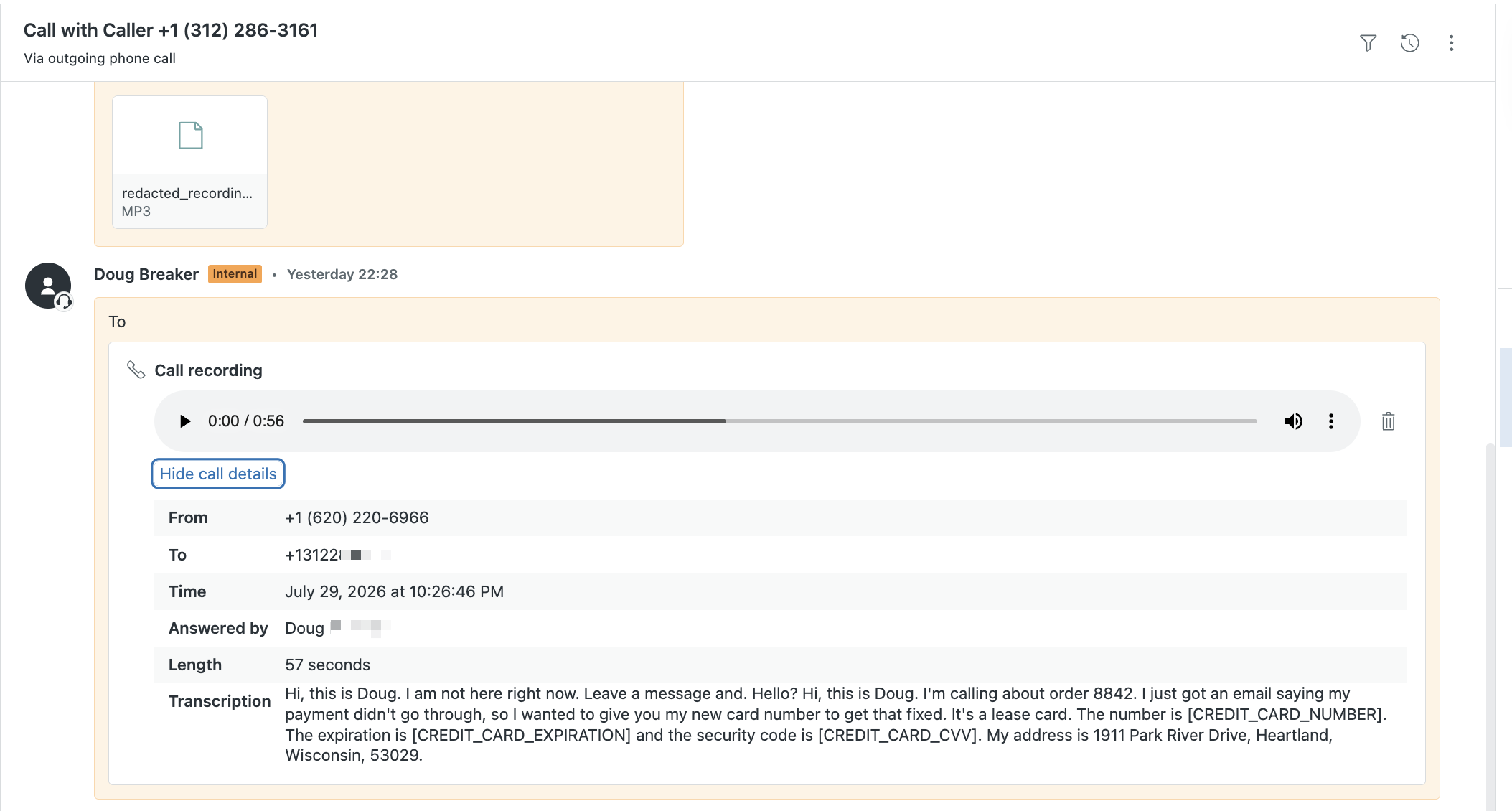
Before: the card number is right there in the recording
A customer reads out their card, and the recording on the ticket holds it, full number and all. Zendesk's own fine print says the only fix is to delete the whole recording. There's no transcript either, because Zendesk Talk doesn't make one.
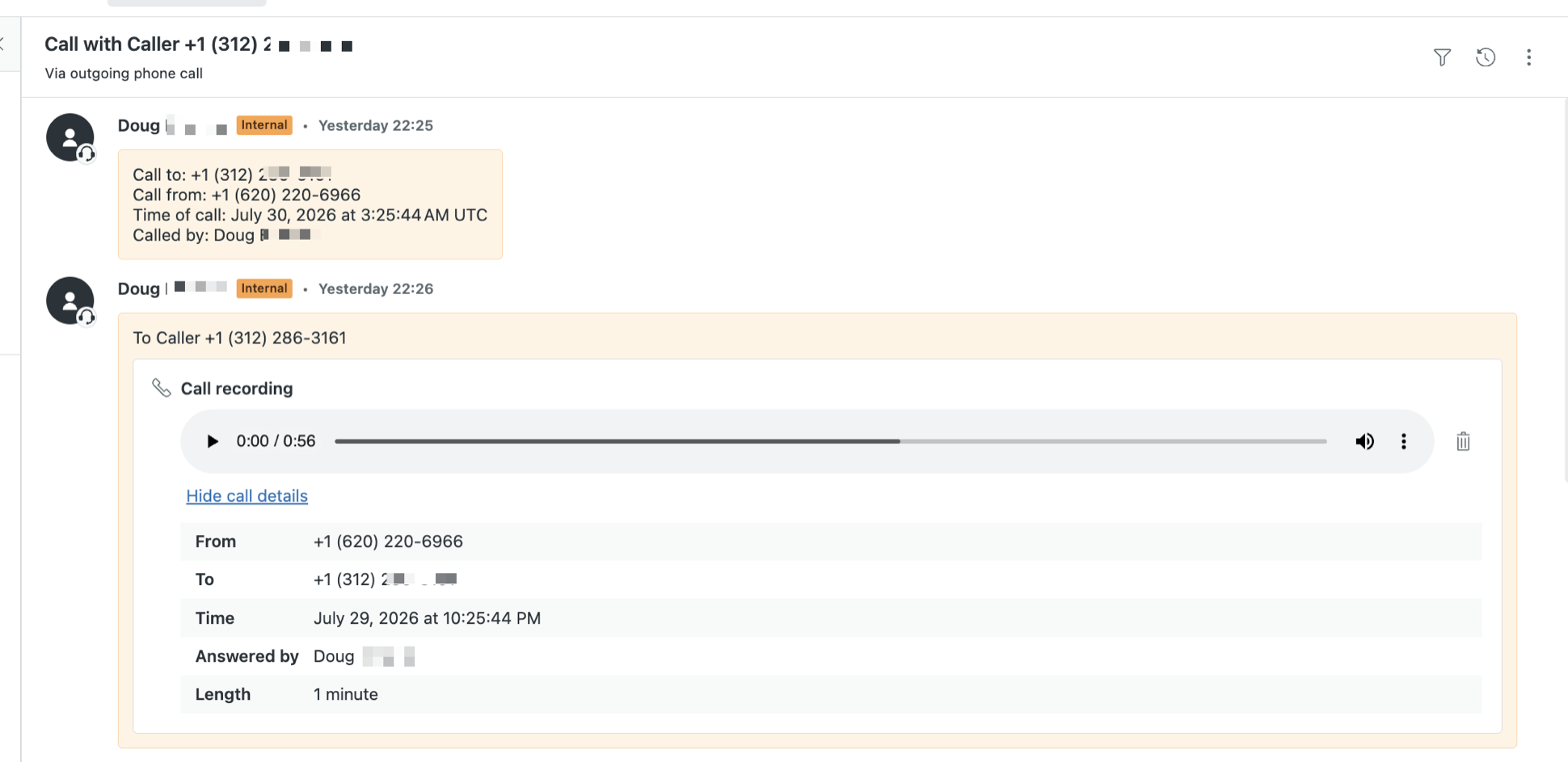
After: audio bleeped, transcript redacted
Minutes later: CallTutor bleeps the number out of the audio, posts a transcript that reads [CREDIT_CARD_NUMBER], and deletes the original recording. Our customers call the bleep "the cash register sound."
What clean recordings cost in Zendesk
Every route to keeping card numbers out of your Zendesk Talk recordings, priced for a 5 agent team. Prices as of July 2026.
| Route | What you actually get | 5 agents |
|---|---|---|
| CallTutor on Zendesk Talk | CallTutor removes the number from the audio and the transcript, deletes the original recording, and your agents change nothing. | $45/mo |
| Manual pause and resume Zendesk's free answer |
An agent must click pause at the right moment on every call. The button can vanish on poor connections. PCI guidance says manual pause "relies completely on agent personnel" and calls for regularly auditing recordings, preferably weekly.1 | $0 + audit risk |
| Zendesk ADPP route Advanced Data Privacy and Protection add-on, requires Suite Enterprise |
Transcript-only redaction. The recording audio still contains the card numbers. Zendesk's own docs say Voice "can't redact PII/PCI data from call recording audio files" and suggest deleting the recordings.2 | ~$1,095+/mo3 |
| Zendesk Contact Center Amazon Connect add-on |
Real audio redaction, but it means moving your whole phone system onto Amazon Connect: an $83 per agent add-on, plus AWS usage billed separately, plus the migration project.4 | $415/mo + AWS + base plan |
1. PCI SSC, "Protecting Telephone-Based Payment Card Data" v3.0, Nov 2018. Zendesk on the button disappearing: Unstable Network Mode.
2. Zendesk, Call transcription and summarization FAQ.
3. Suite Enterprise and ADPP prices are not published by Zendesk; ~$169 and ~$50 per agent per month as reported by Richpanel's pricing guide, June 2026.
4. Contact Center $83 per agent per month published at zendesk.com/pricing, July 2026.
Want the rules first? We wrote up what PCI DSS actually requires of recorded calls, quoted from the source. Shopping DTMF masking instead? Our vendor comparison prints the prices.
Still comparing the platform itself? Read our full Zendesk Talk review, including real pricing math and a live call demo.
Why CallTutor exists
I used to run a company that took five thousand calls a week. We sold by phone, and a lot of those calls ended with a customer reading out a card number.
Every solution I looked at was expensive, or error prone, or came with a two year contract and pricing I couldn't explain to my own team. And training a big support team to pause and unpause the recorder isn't a plan. Anything that relies on a busy person remembering will fail.
I wanted to turn something on and stop worrying about what was sitting in our recordings, or an employee making a bad choice with a number they heard.
CallTutor was that something. You turn it on, and every recording comes back clean. No contract. $9 per Talk agent, and only your Talk agents. I liked it so much that I bought the company, and then rebuilt the whole service from scratch.
- Doug
Questions we get
How does redaction work in Zendesk?
Zendesk's built-in redaction covers ticket text: an agent selects text in a comment and redacts it, or a trigger does it automatically. It doesn't touch call recordings. Zendesk's own docs say Talk can't redact card numbers from the recording audio, and suggest deleting the whole recording instead. That's the gap CallTutor fills. When a call ends, it transcribes the audio, bleeps the card number out of the recording, posts the clean audio and transcript to the ticket, and deletes the original.
How accurate is the redaction?
No reported missed card data in more than 2 million processed calls. Once in a while it bleeps an extra number. If a redaction ever looks wrong, email support@calltutor.com and we'll dig into that call the same business day. Redaction works on English calls only.
When does billing start?
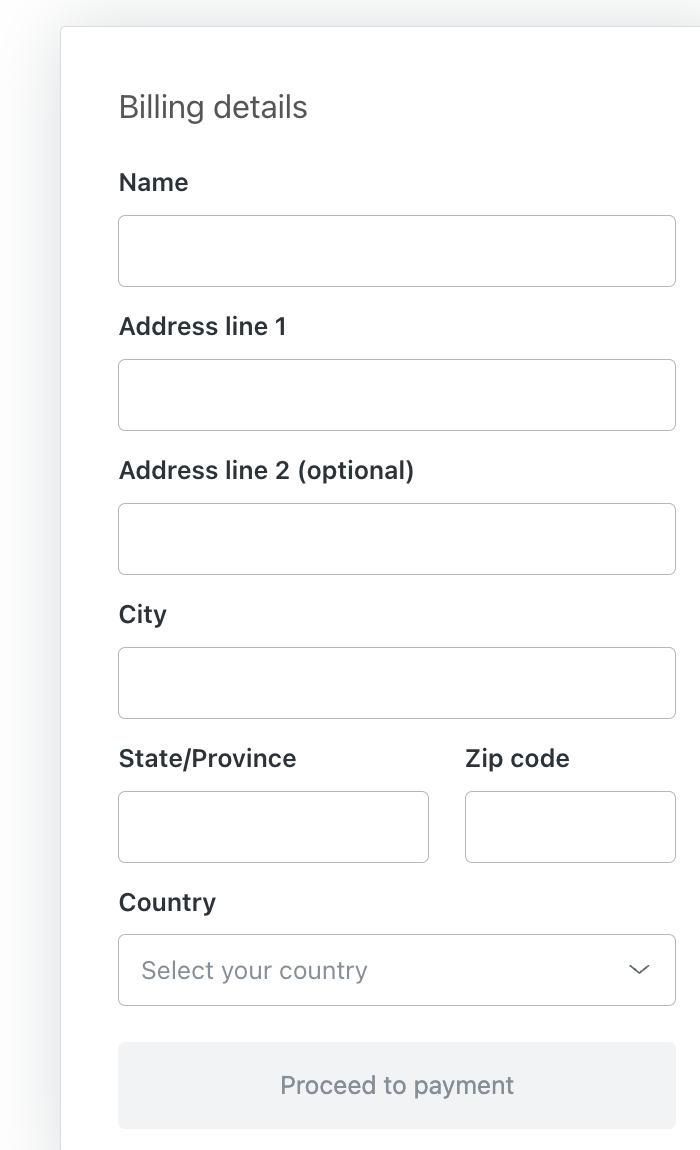
Billing runs through the Zendesk Marketplace. You install the CallTutor app there, and Zendesk's own purchase form takes your card at $9 per Talk agent per month. Connecting on our site turns the service on; the Marketplace install handles the billing. Two steps, about a minute each.
Do we pay for all our Zendesk seats, or just Talk agents?
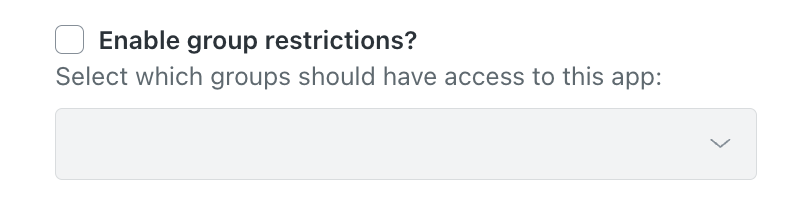
Just Talk agents, meaning the people who take phone calls in Zendesk. Support-only agents are free. In the app's settings in Admin Center, check "Enable group restrictions?" and pick your Talk group, and Zendesk bills only those agents. Email support@calltutor.com and we'll walk you through it.
What happens to the original recording?
Redacted audio and transcript post to your ticket, the original recording is deleted from Zendesk, and transcripts are cleared from our database.
Which numbers get redacted?
Credit card numbers, CVV codes, and expiration dates. It's context-aware, so order numbers, phone numbers, and zip codes stay readable and your transcripts stay useful for QA. We can also redact health information (PHI) if you email support@calltutor.com and ask.
Can you redact our old calls?
Yes. Email support@calltutor.com with the ticket numbers and we'll run them for you. One limit that comes from Zendesk, not us: once Zendesk closes a ticket, Zendesk locks it, and nobody can add anything to it, including a transcript.
Do our agents have to change anything?
No. Agents don't have to do anything different. They take the call like normal, and the redaction happens a few minutes after the call ends.
What if we want to leave?
There's no contract. CallTutor is a Zendesk app you can uninstall anytime.
Turn it on. Stop thinking about it.
Two steps, about a minute each. $9 per Talk agent per month. No contract.
Install the Zendesk AppAlready installed? Connect your Zendesk to finish setup.
Doug reviews your first processed calls and emails you if anything looks off. Questions? support@calltutor.com.

Zendesk redaction and transcription for Zendesk Talk and Zendesk Voice call recordings
Guides
About Us
© 2026 CallTutor.com. All rights reserved.