Install CallTutor for Zendesk
Setup takes four steps, about five minutes. Your next Zendesk Talk call comes back transcribed and redacted the same day.
1. Open the Zendesk Marketplace
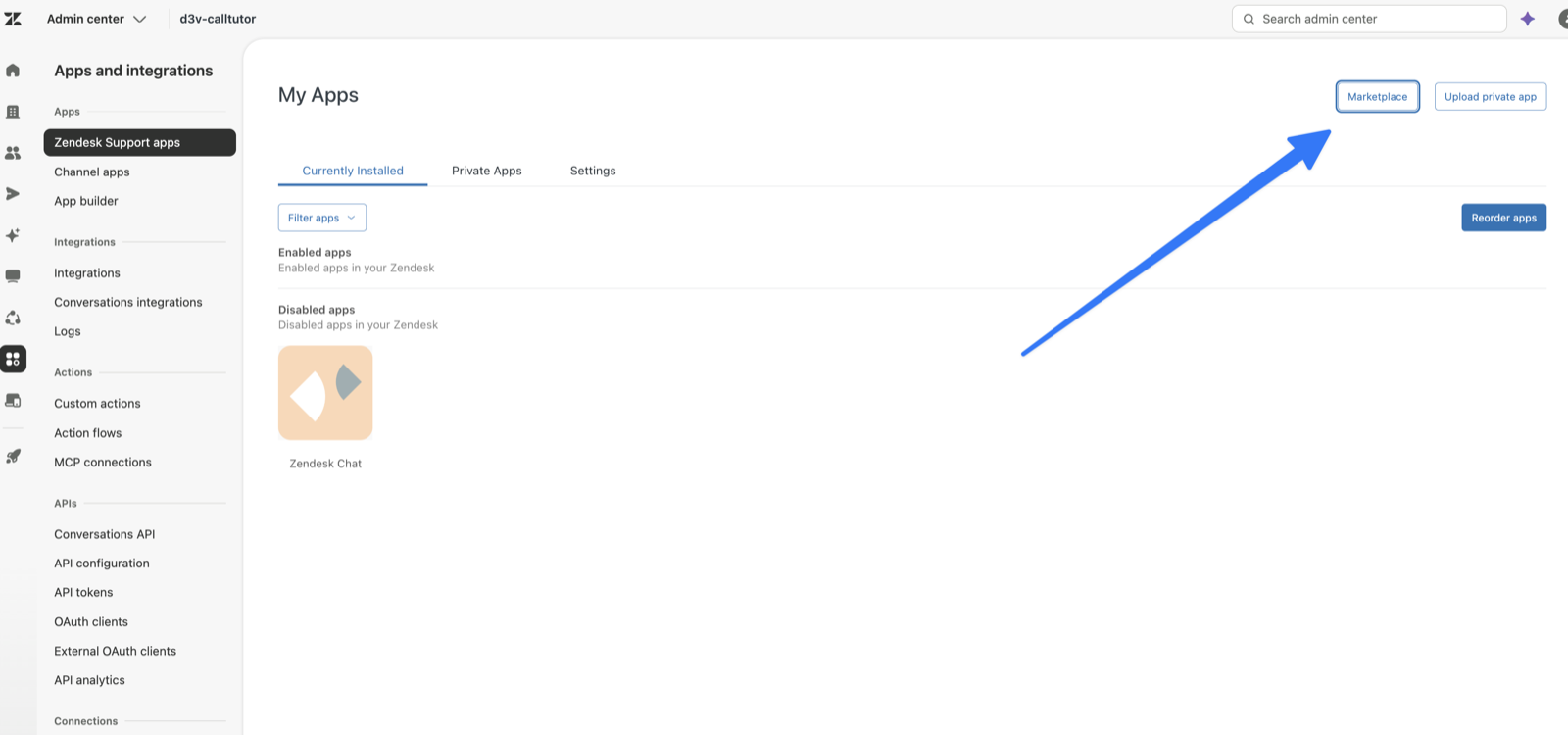
In Zendesk, open the product menu (top left) and pick Admin Center. Go to Apps and integrations → Zendesk Support apps, then click Marketplace.
2. Install the app
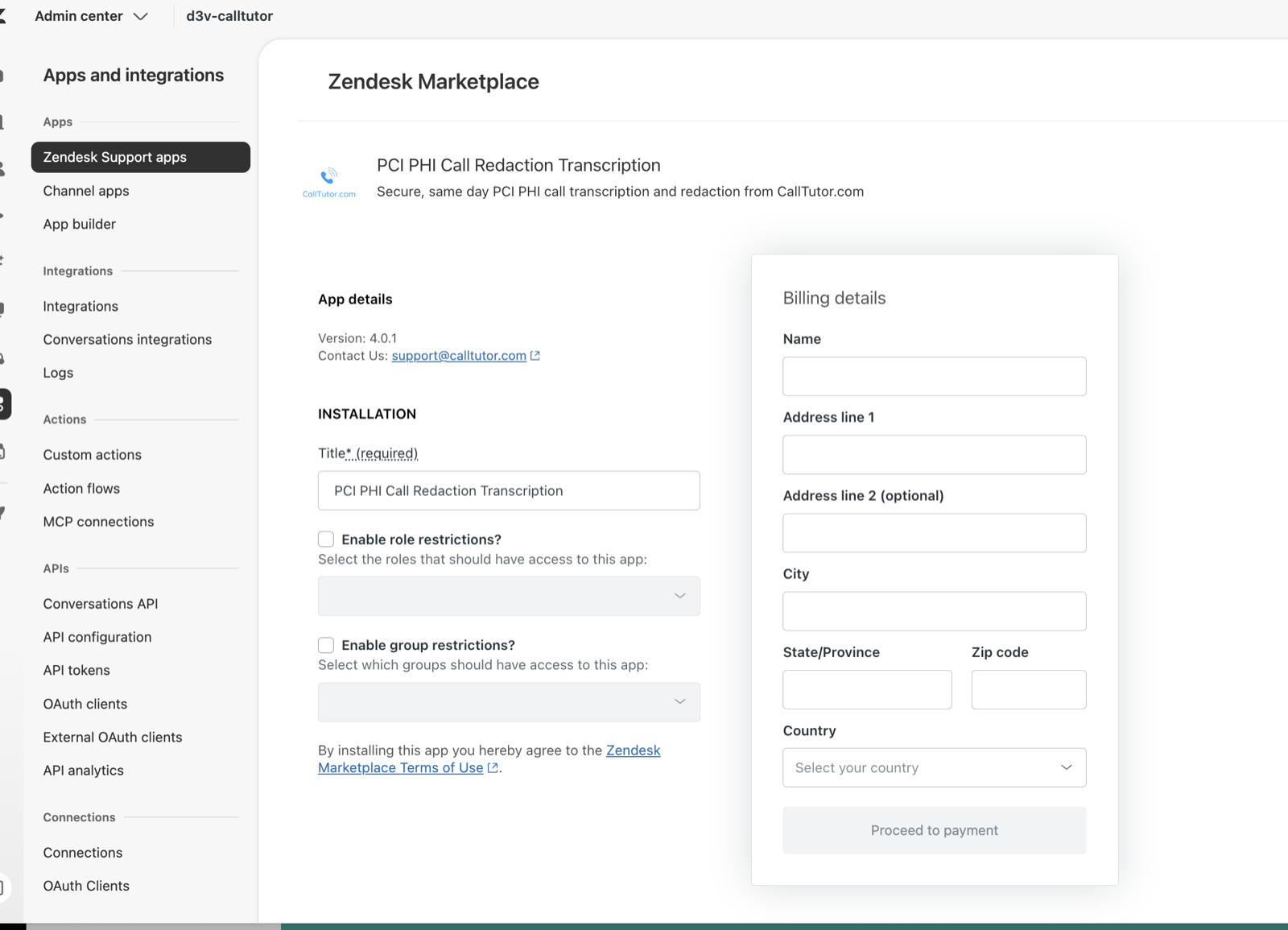
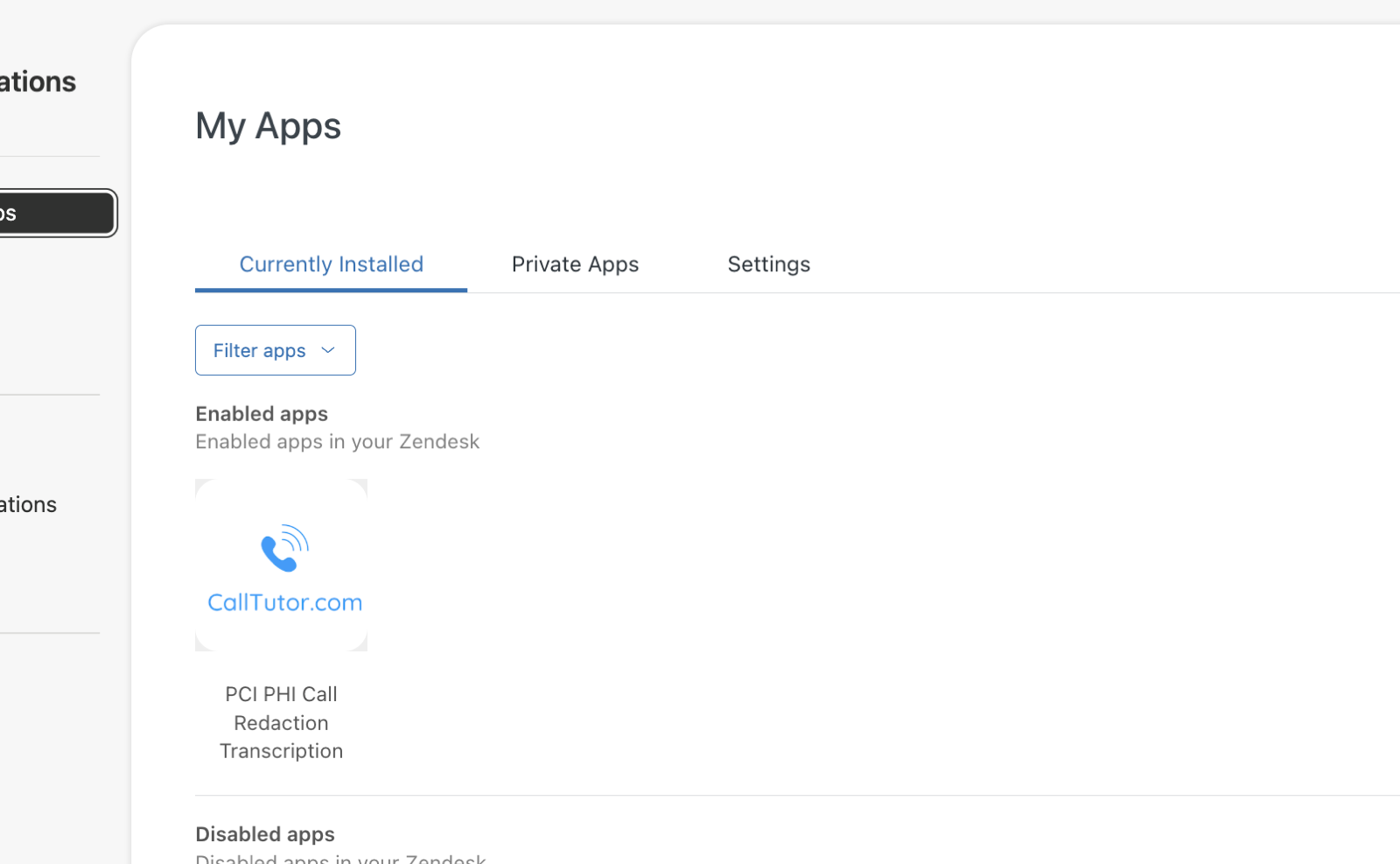
Search for PCI PHI Call Redaction Transcription, choose how many agents need it ($9 per agent, per month), and fill in your billing details. When payment goes through, the app shows up under My Apps.
3. Connect your Zendesk
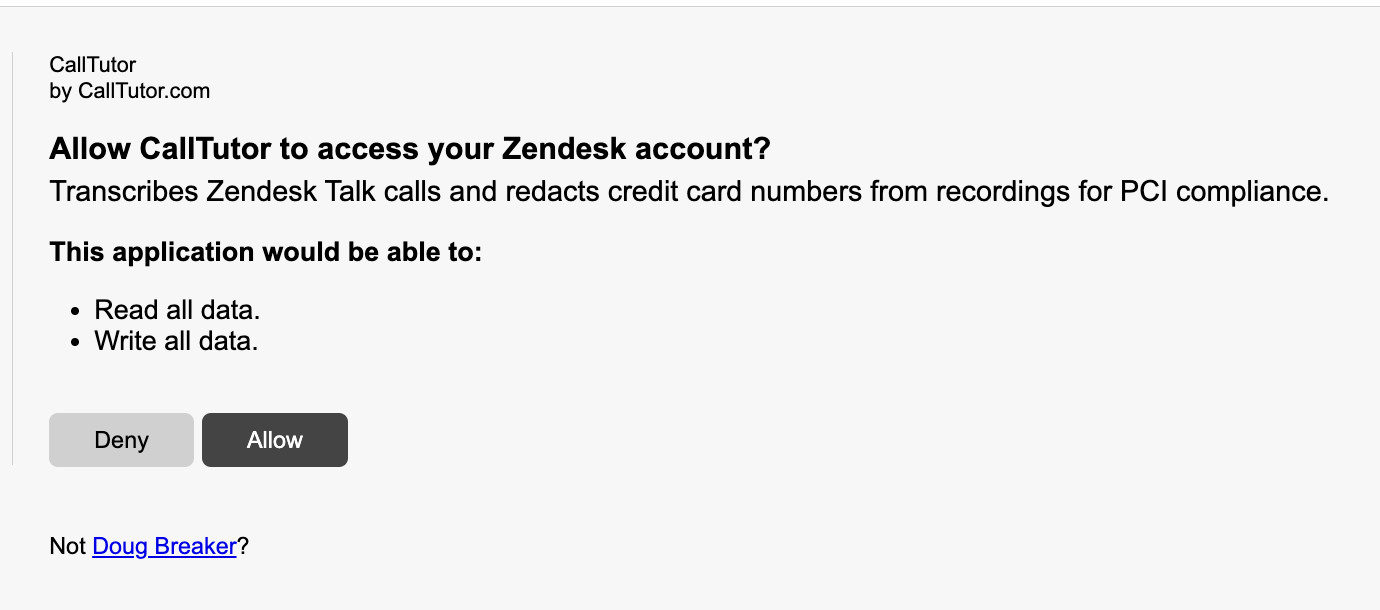
This is the step people miss. Zendesk doesn't send you here, so bookmark it now: go to app.calltutor.com/zendesk_signup, enter your Zendesk subdomain, and click Connect Zendesk. Approve the authorization screen Zendesk shows you and you're connected. No API tokens to copy, nothing to paste.
4. Make a test call
Call your Zendesk Talk number and read out a fake card number (4111 1111 1111 1111 works). Within a few minutes the ticket's recording is redacted, the transcript reads [CREDIT_CARD_NUMBER], and the original unredacted audio is gone.
Stuck on any step? Email support@calltutor.com and a human (Doug) will get you sorted.
New here and still deciding? Read why the pause button leaves card numbers in your recordings.
See a before and after
A real call, into a real Zendesk. Nobody changed a thing.
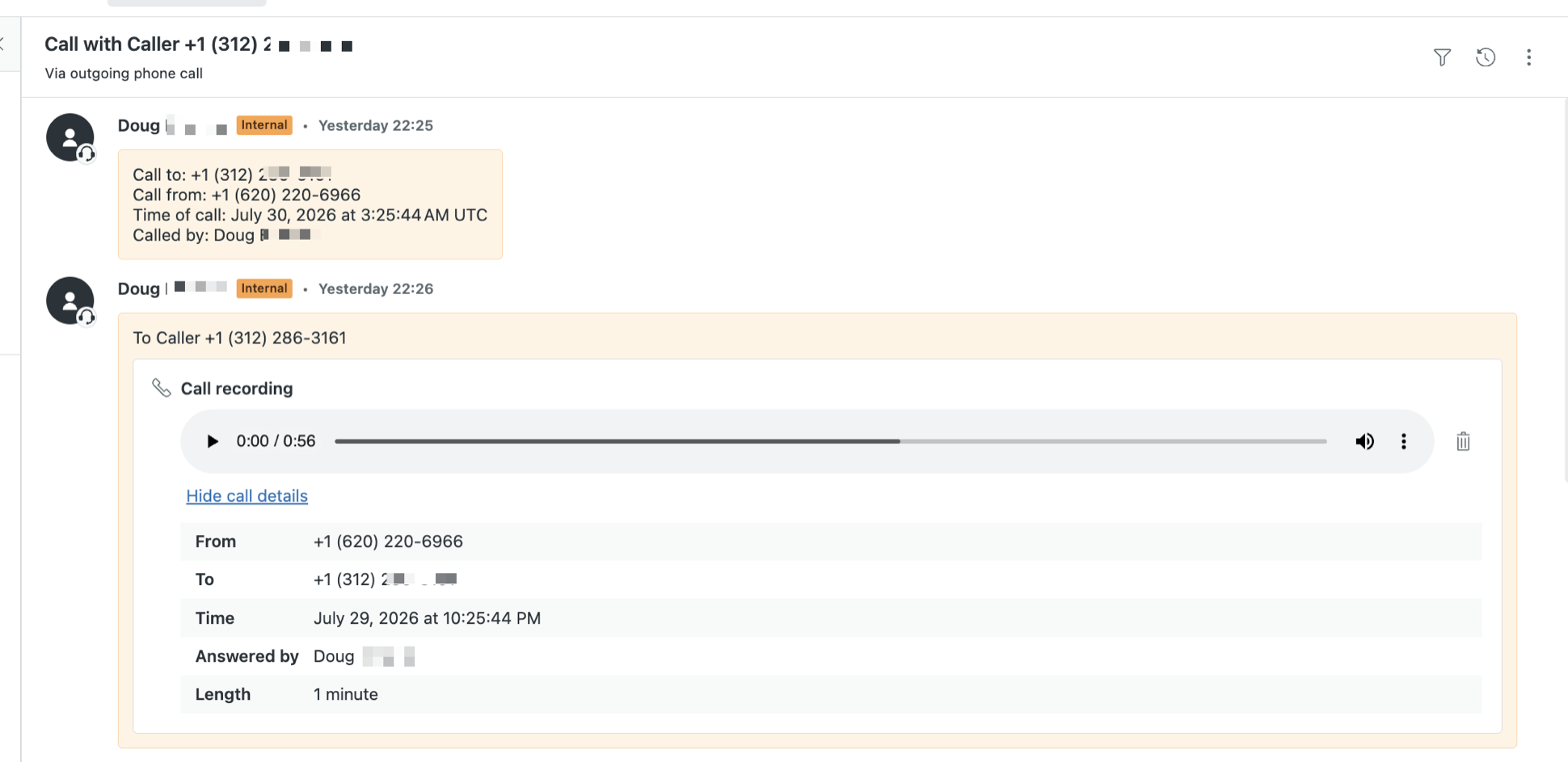
Before: the card number is right there in the recording
A customer reads out their card, and the recording on the ticket holds it, full number and all. Zendesk's own fine print says the only fix is to delete the whole recording. There's no transcript either, because Zendesk Talk doesn't make one.
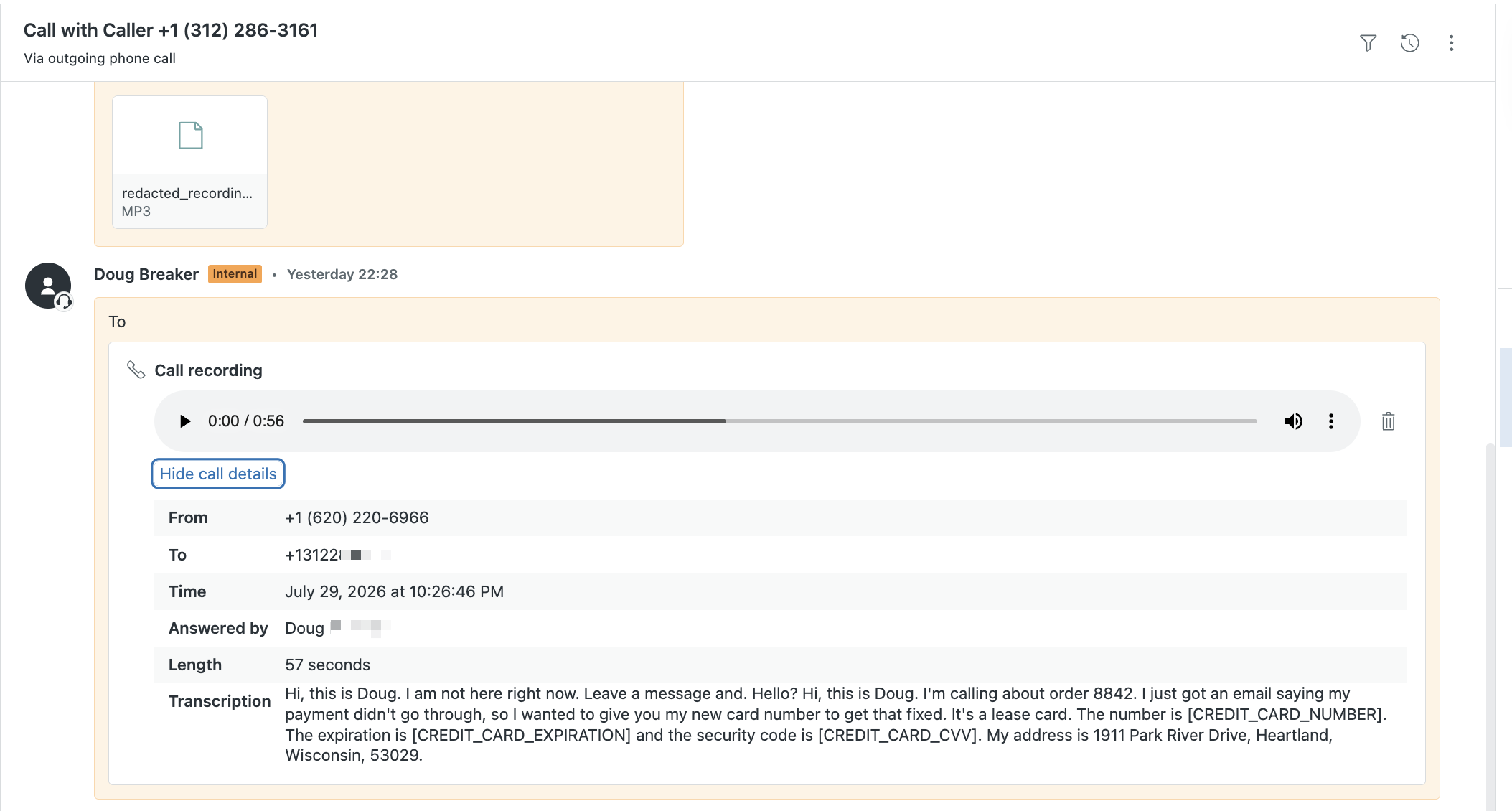
After: audio bleeped, transcript redacted
Minutes later: CallTutor bleeps the number out of the audio, posts a transcript that reads [CREDIT_CARD_NUMBER], and deletes the original recording. Our customers call the bleep "the cash register sound."

Zendesk redaction and transcription for Zendesk Talk and Zendesk Voice call recordings
Guides
About Us
© 2026 CallTutor.com. All rights reserved.