Install CallTutor for Aircall
CallTutor removes credit card numbers from your Aircall call recordings. It removes them from the audio itself, not just the transcript. A few minutes after a call ends, CallTutor cuts the spoken card number out of the recording and deletes the original from Aircall. A note on the call links to the clean copy.
Before you start
You need to be an Aircall admin.
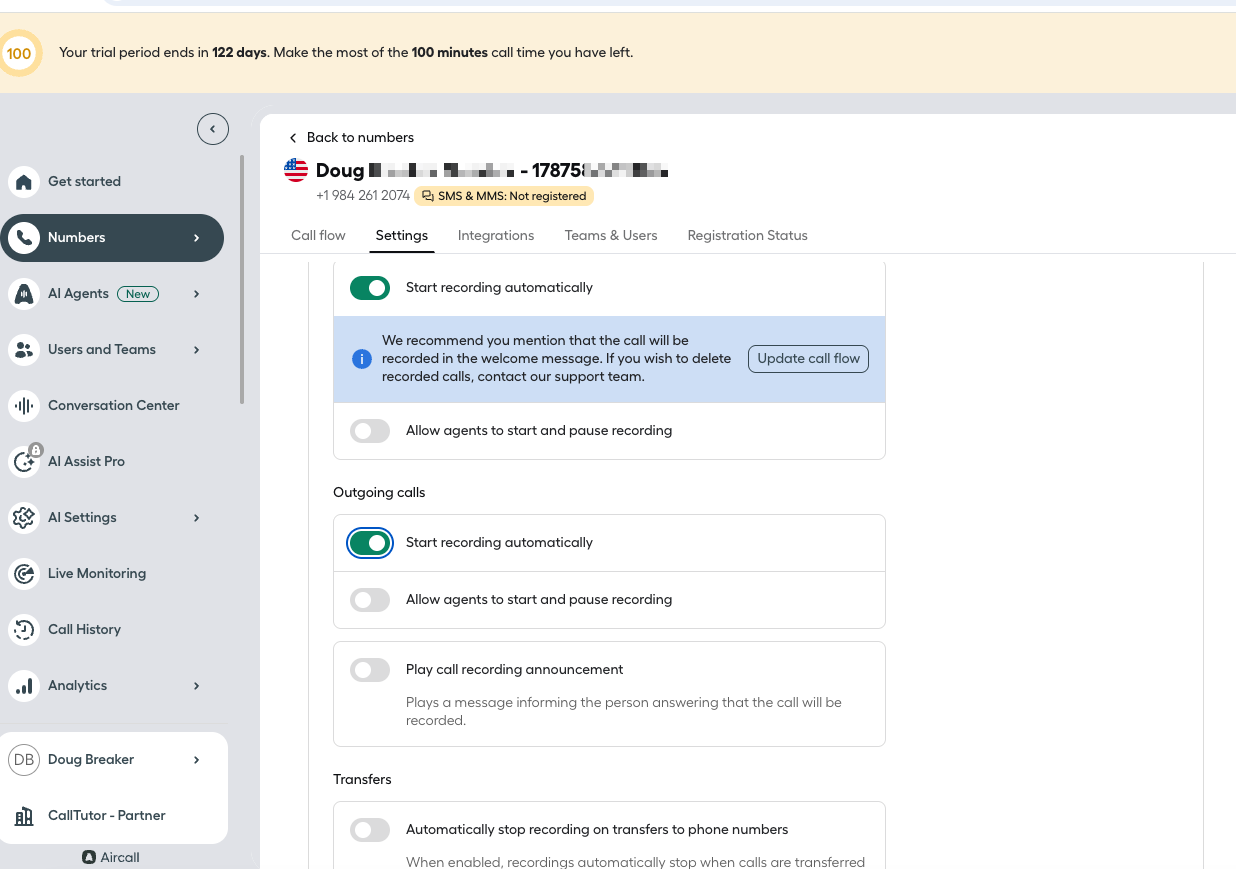
Turn on call recording first. CallTutor can only clean calls that Aircall records. For each phone number whose calls you want cleaned: in the Aircall Dashboard, open Numbers, pick the number, open Settings, and turn on Start recording automatically. If recording is off, the test call below produces no note.
CallTutor costs $9 per agent per month. CallTutor counts the agents who took a call each month, so an agent who took no calls costs nothing. Aircall does not charge anything for connecting CallTutor.
Install
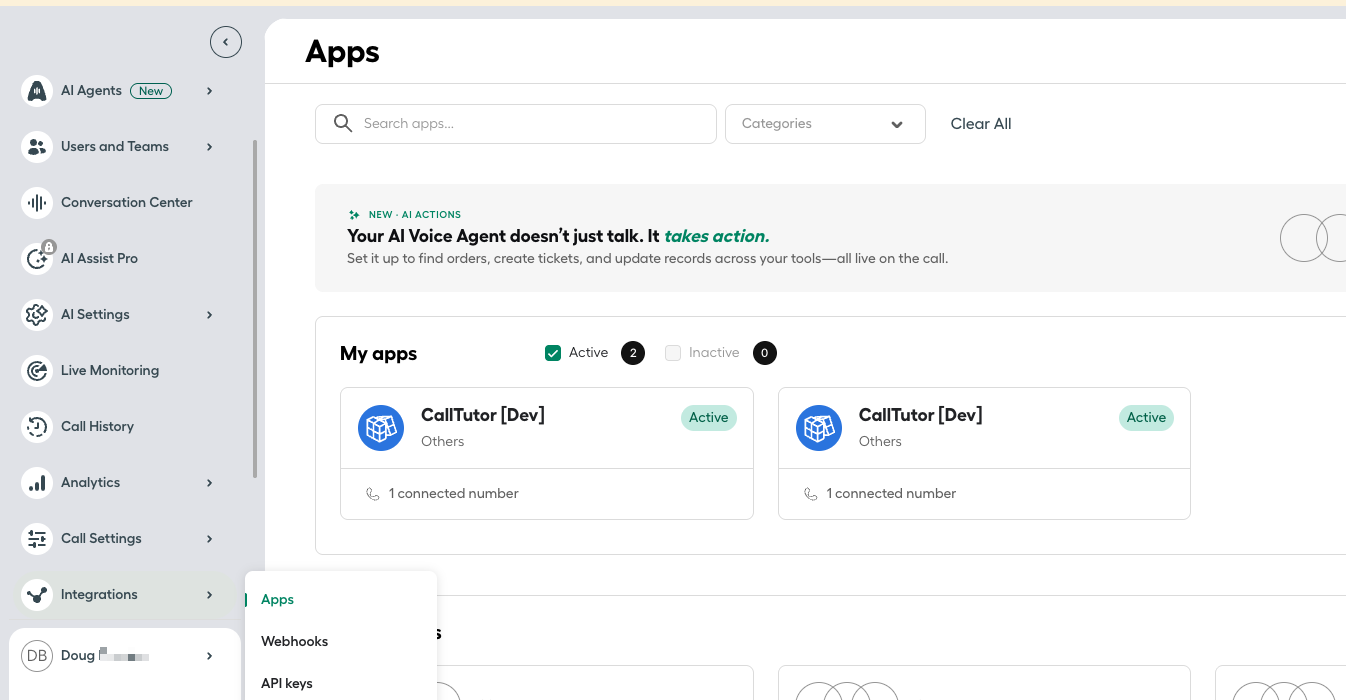
- Go to dashboard.aircall.io. In the left menu, open Integrations, then Apps. Type CallTutor in the Search apps box and click Install.
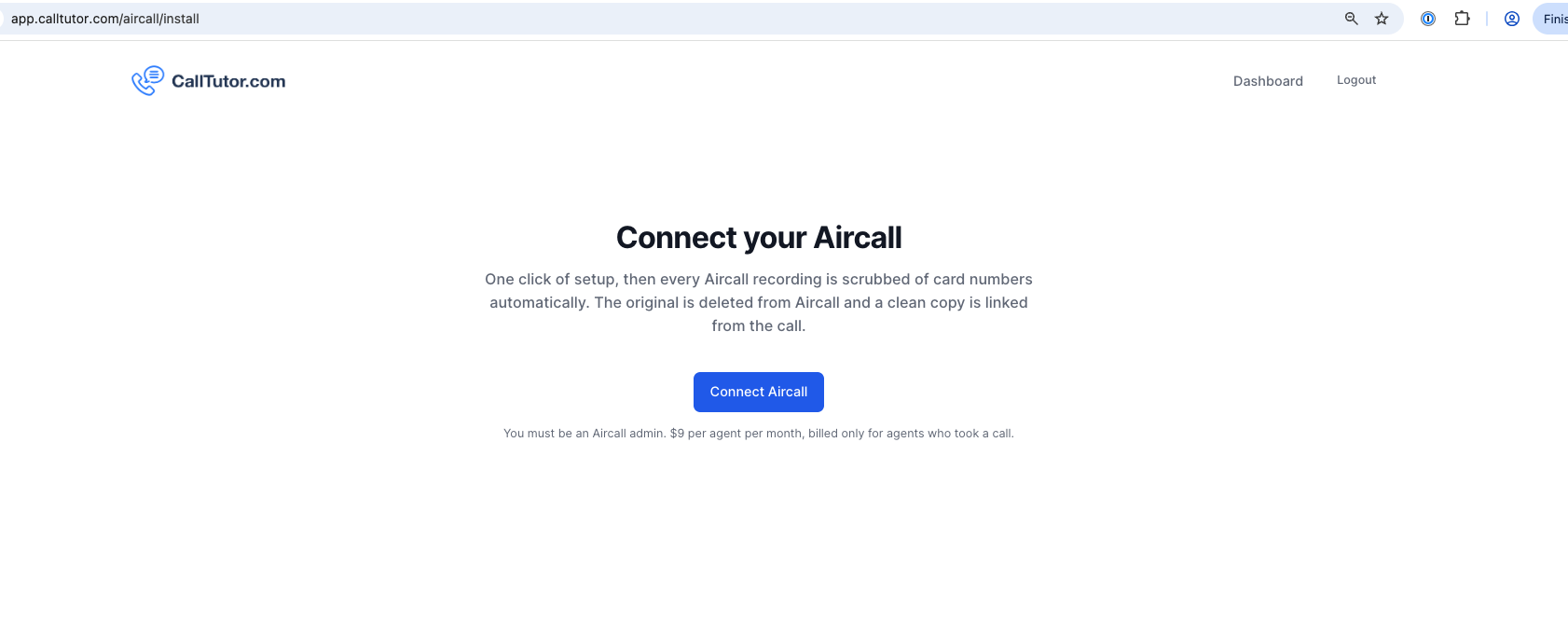
- You land on calltutor.com/aircall/install. Click Connect Aircall.
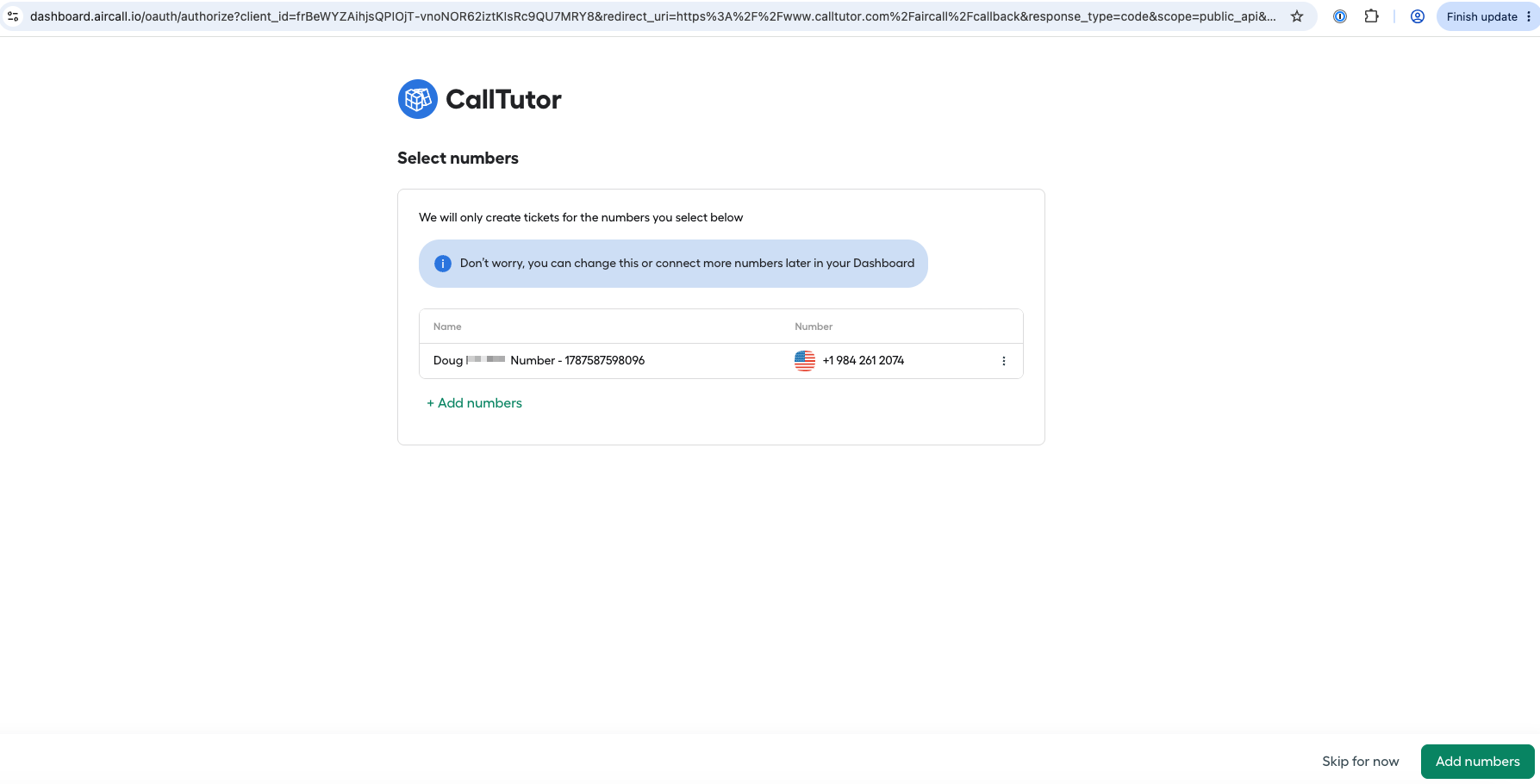
- Aircall asks which numbers to include. Leave your numbers selected and click Add numbers.
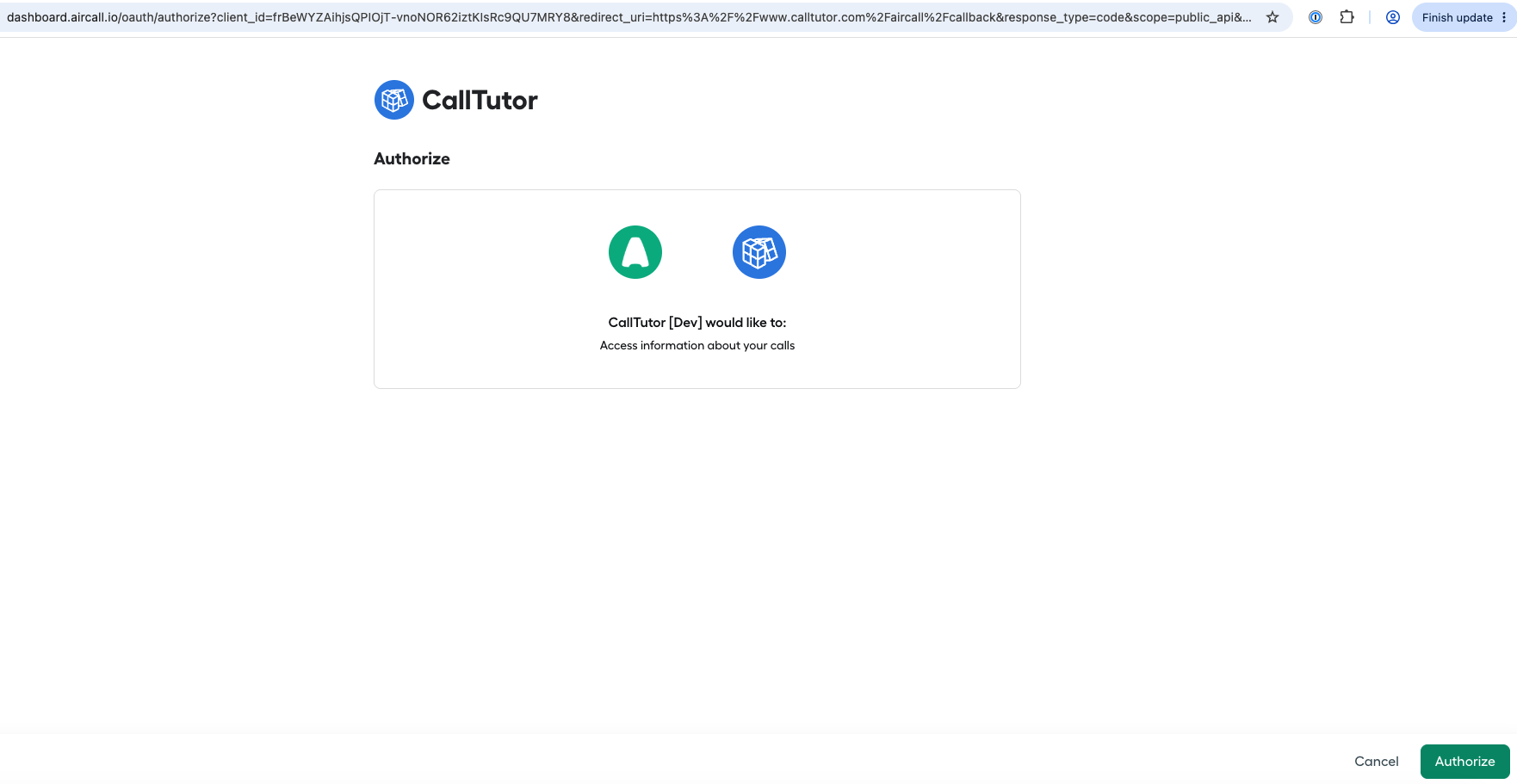
- Aircall shows "CallTutor would like to access information about your calls." Click Authorize.
- CallTutor shows how many agents you have and explains the price. Click Set up billing.
- Stripe, the company that handles card payments for CallTutor, asks for a card. Enter it and click Subscribe. Stripe charges $9 today for your first month. This card screen is the only form you fill in during setup.
- Stripe sends you back to CallTutor. The page says you are connected and billing is active.
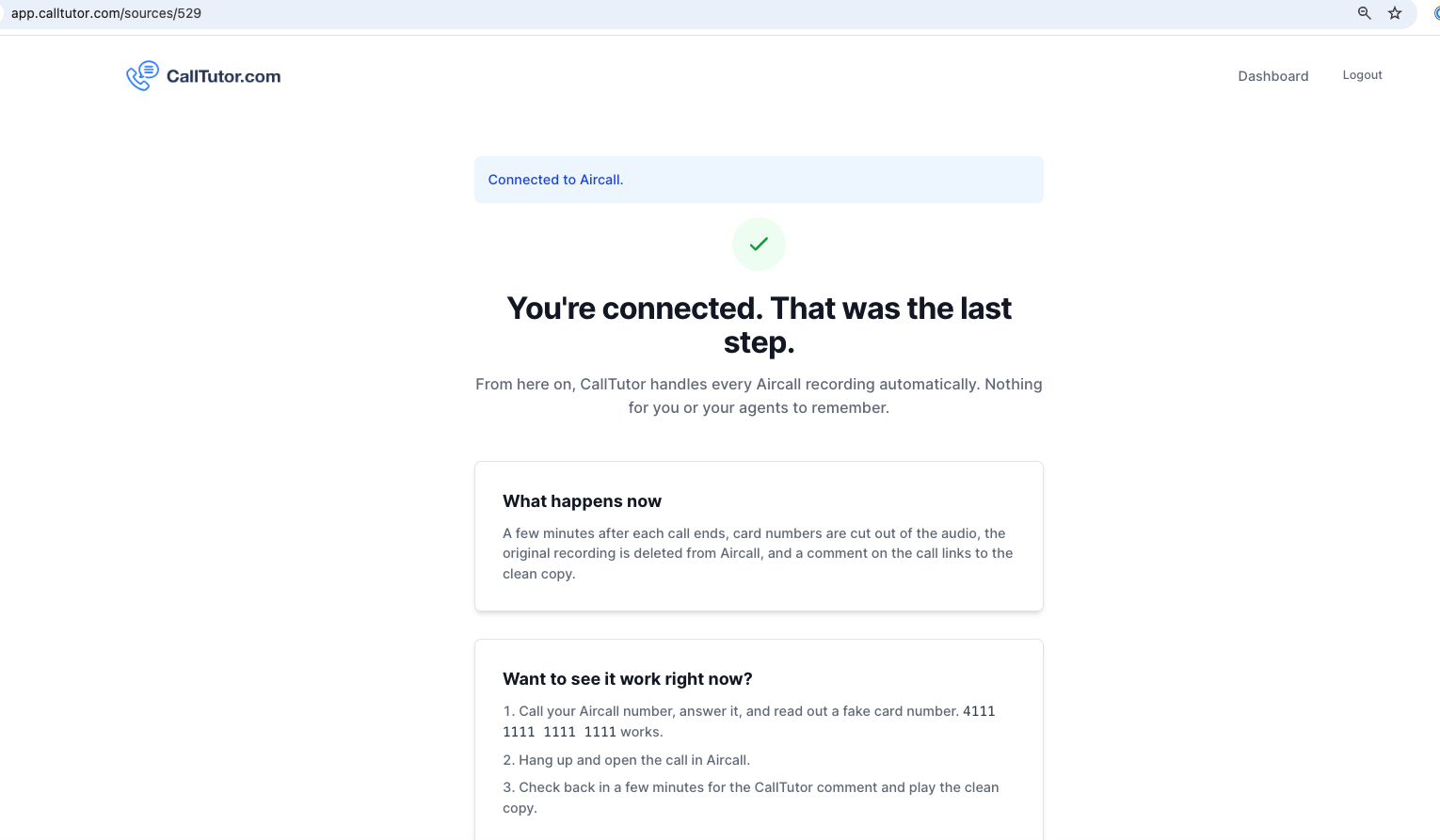
That is the whole install. Your agents have nothing to do or remember.
Test it
- From your own cell phone, call one of your Aircall numbers. Answer the call in Aircall yourself, or have an agent answer it.
- Read out the test card number 4111 1111 1111 1111. It is a standard test number, not anyone's real card. Then hang up.
- Open the call in the Aircall Workspace, which is the app or web page (workspace.aircall.io) where your agents take calls, and find the call in the Calls list.
- Within about a minute, CallTutor posts a note on the call. The note ends with a link that reads "CLICK HERE". The first time you open one, CallTutor asks for your email and sends you a sign-in link, because only users on your Aircall account may listen. After that, the page shows the clean recording, with the card number cut out of the audio, and a transcript that shows [CREDIT_CARD_NUMBER] in place of the digits. If no note appears after five minutes, check that recording is on for that number, then email support@calltutor.com.
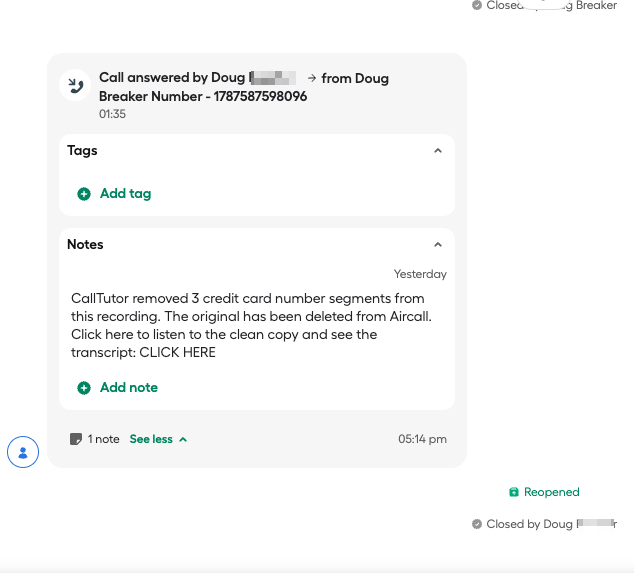
- Play the original recording in Aircall. Aircall shows a message that the recording was deleted, because CallTutor removed the original.
Uninstall
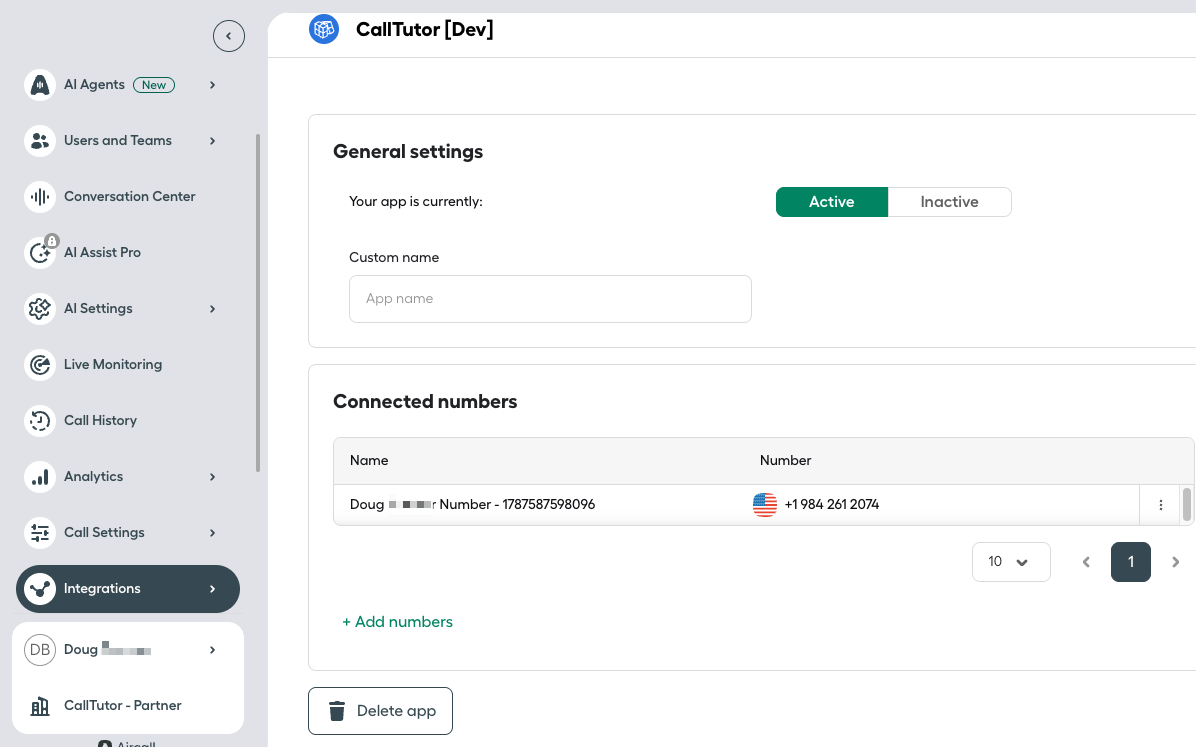
- In the Aircall Dashboard, open Integrations, then Apps. Open CallTutor under My apps and click Delete app at the bottom of the page.
- Email support@calltutor.com with the subject "Cancel CallTutor", and we cancel the subscription the same day and refund the unused part of the month.
The clean recordings CallTutor already made stay available, and their links keep working after you uninstall.
Questions? Email support@calltutor.com. A human answers, usually the same day.
Want the full picture first? Read what CallTutor does with your Aircall recordings.

Zendesk redaction and transcription for Zendesk Talk and Zendesk Voice call recordings
Guides
About Us
© 2026 CallTutor.com. All rights reserved.